
What do you reach for first when you write a song?
A chord, a drum groove, or a sound you can shape with your hands? Let that decide which keyboard gets space on your desk.
You sit down to make music, and somehow you spend the whole evening comparing keyboards. Meanwhile, that chorus is still sitting in your voice memos. Let’s get you back to the song.
If you’re looking for the best affordable MIDI keyboard for a bedroom studio, start with what slows you down when you write. I’d compare the Novation Launchkey Mini 37 for chords and melodies, the Akai MPK Mini IV for tapping out drums, and the Arturia MiniLab 3 for shaping sounds.
Affiliate disclosure. I may earn a commission if you buy through the zZounds links in this post, at no extra cost to you. These picks are based on published specs and how each layout fits a writing workflow.
1. Do you need a MIDI keyboard yet?
A MIDI keyboard sends instructions such as which note you played and how hard you struck the key. A software instrument in your recording program turns those instructions into sound. The three models here are controllers, so plan to use them with a software instrument or compatible external sound source.
If you mostly sing over finished instrumentals or record acoustic guitar and vocals, try finishing a song with your current setup first. If you keep reaching for a piano part, a bass line, or a drum fill and hate drawing every note with a mouse, a controller could save you time.
Try it before you shop. Open a software piano or drum kit. Use your recording program’s on-screen keyboard or piano roll to write eight bars. Pay attention to which part you wish you could play by hand. That tells you whether you’ll use the keys, pads, or knobs most.
2. What matters when your desk is small?
- Key count. Twenty-five keys can cover a one-handed melody, bass line, or chord idea. Thirty-seven give you another octave, which helps when you want to play a lower note and a chord above it without switching octaves.
- Key feel. Mini and slim keys save space. If you already play piano or reach for wide chord voicings, try them in person if you can. The spacing may matter more to you than the key count.
- Pads. If you finger-drum, look for velocity sensitivity so soft taps and harder hits can play at different intensities when the instrument supports it.
- Knobs and faders. Knobs suit changes like opening a synth filter. Faders can make it easier to ride a level. Check what your software can assign to each control.
- Desk space and portability. Measure width and depth with your laptop in place. Leave room for plugs and your wrists. If you’ll carry it around, check the weight and whether it fits your bag.
3. If you write chords and melodies, try the Novation Launchkey Mini 37 MK4
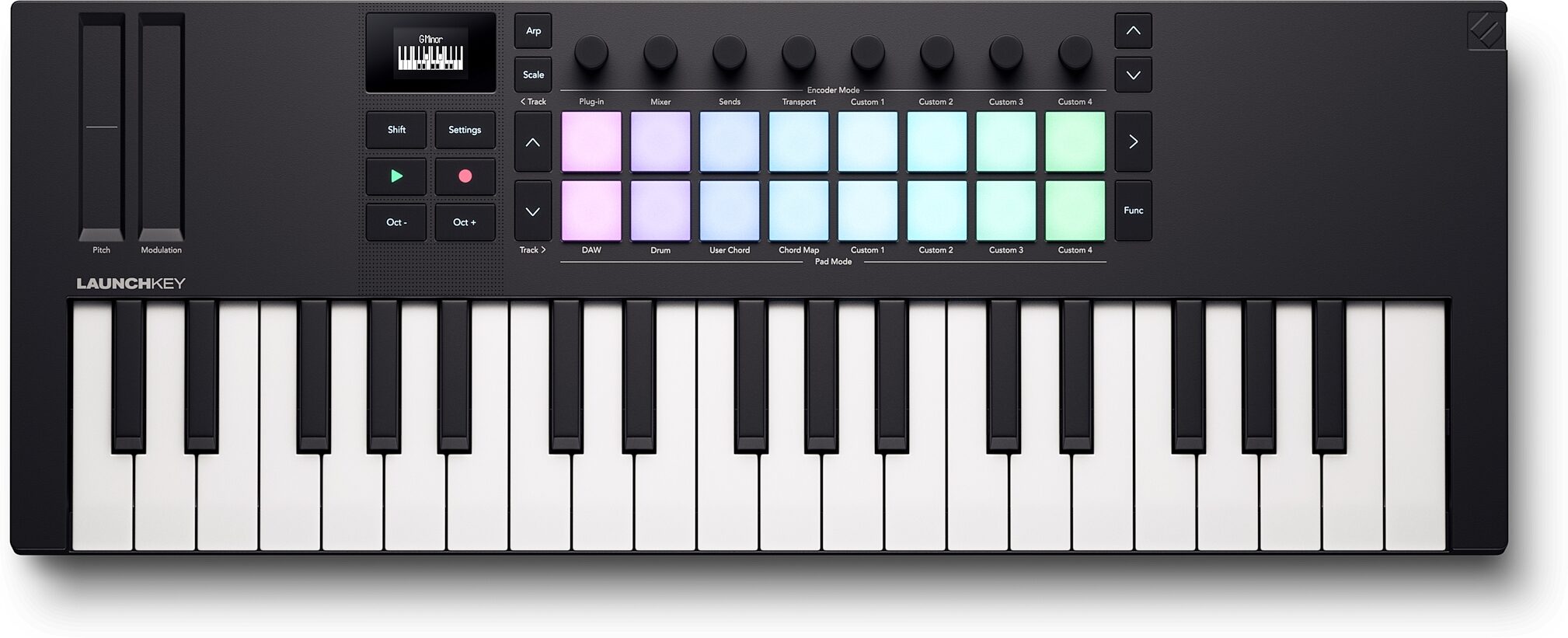
If your first move is finding a chord progression and singing over it, the 37 mini keys are the reason I’d start here. Say you’re writing an R&B chorus and want to hold a low root note while trying different voicings above it. The extra octave gives you more room to hear those ideas together.
Novation also includes chord and scale modes. Try them if they help you audition an idea quickly. If you mainly play simple one-handed parts and barely have room beside your laptop, the smaller Launchkey Mini 25 is the size I’d compare before choosing.
Novation lists the Mini 37 at $159.99 in the U.S. Check the retailer for the current price on the version you want.
Check the Launchkey Mini 37 at zZounds →
See Novation’s Launchkey range and listed prices.
4. If you build the beat first, try the Akai MPK Mini IV
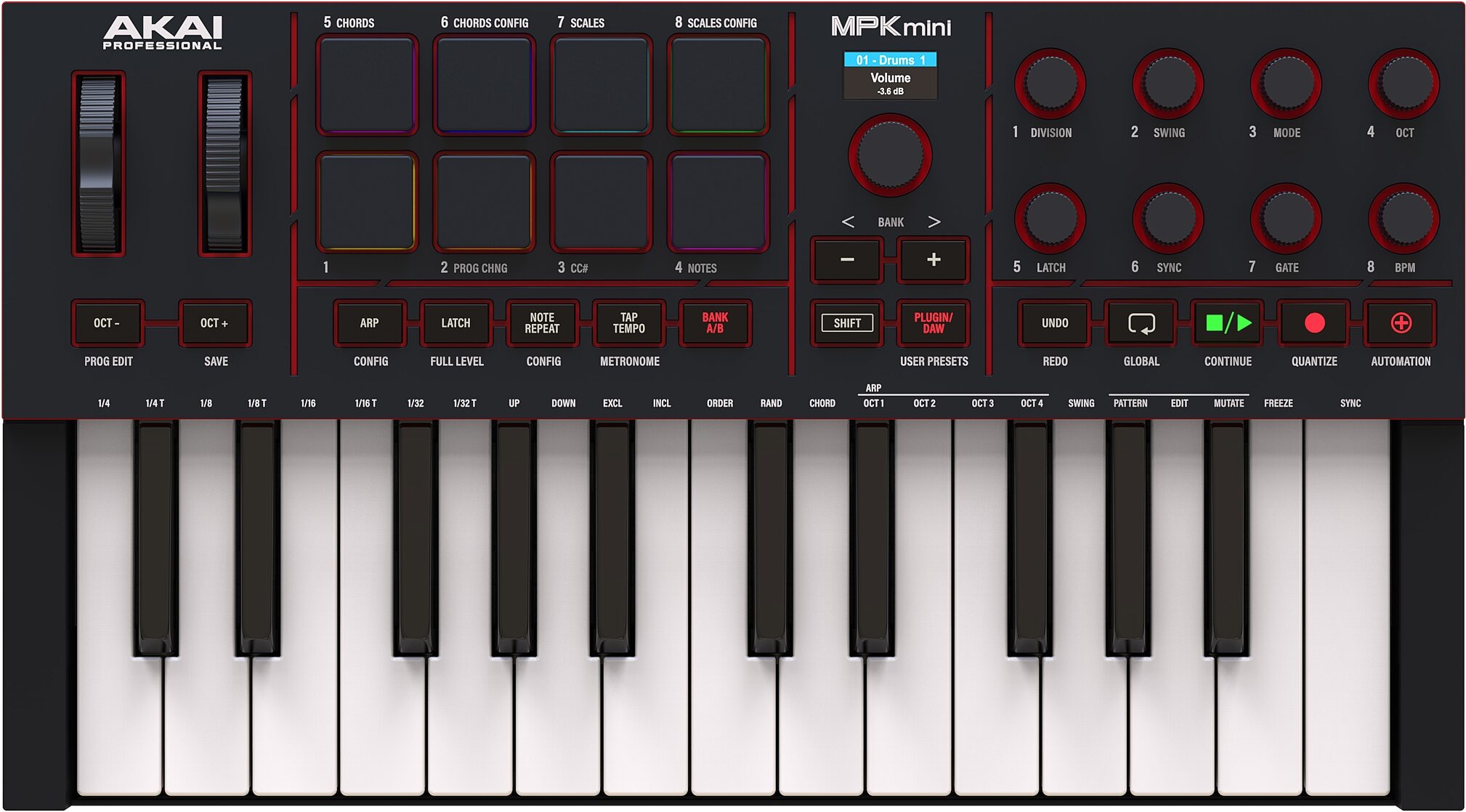
The MPK Mini IV gives you eight velocity-sensitive pads and 25 mini keys. I’d pick it if you like to tap out a kick and snare, add softer hi-hats, and then use the keys to play a bass line. Everything you need for that loop is within easy reach.
Before buying any pad-focused controller, check how its pads work with your drum instrument. The pad might send a MIDI note that triggers a different drum than you expect. Learn how to change the note assignments in the controller or the drum instrument. If you get a chance to play one, see whether it picks up the light taps you actually use.
Where you’ll feel the tradeoff: If you regularly play wider chords with both hands, the compact keyboard can feel crowded. If you mostly build a groove and add short parts one at a time, those 25 keys can be plenty.
Check the Akai MPK Mini IV at zZounds →
See Akai’s MPK Mini IV setup and compatibility FAQ.
5. If you like shaping sounds, try the Arturia MiniLab 3
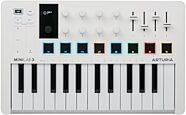
The MiniLab 3 gives you eight rotary encoders, four faders, and 25 slim keys. That layout makes sense if you like playing a chord with one hand and changing the sound with the other. For example, assign a knob to a filter so a soft synth opens up in the chorus. Map a fader to an instrument level if your software supports it.
Arturia’s Analog Lab integration makes this especially appealing if that’s where you like to browse and play sounds. For other plugins, check what’s mapped automatically and what you’ll need to assign yourself. Start with two controls you’ll use every session. You can map the rest as you get comfortable.
Check the Arturia MiniLab 3 at zZounds →
See Arturia’s MiniLab 3 features and software details.
6. Which extras can wait?
A big display, a built-in sequencer, and dedicated controls for external synths can all make sense later. For your first keyboard, picture your last three writing sessions. If you never needed to run external gear or build a pattern away from the computer, those extras can stay off your shopping list.
Use the same test for a bigger keyboard. If you keep running out of keys while playing with both hands, more range would solve something specific. If you mainly play a bass line with one hand, measure how much desk space you’d give up for those extra keys.
7. Check your laptop, your DAW, and the software bundle
- Check ports and cables. Look at the connection on the controller, what cable comes with it, and which ports your laptop actually has. Include any adapter you need in your budget.
- Check your operating system and recording software. Look up your exact OS and DAW version. If you use Logic Pro, for example, confirm the maker’s Logic setup instructions for the specific model you’re buying.
- Check the controls you care about. Playing notes into a software instrument and controlling record, playback, track volume, or plugin settings are separate features. Confirm the functions you want and check whether they need a script, a setup step, or manual mapping.
- Put a realistic value on the bundle. If your DAW already has piano, bass, and drums you like, you can start with those. If a bundled instrument fills a real gap, check whether it’s a full license, a limited edition, or a trial. For used gear, check whether the license transfers.
8. Put the keyboard in your wider studio budget
Pick the model that helps with the part you write first. Go with the Launchkey Mini 37 if another octave would help you play the chords you hear. Look at the MPK Mini IV if drums are how you start. Try the MiniLab 3 if you want to shape sounds while you play.
If your current controller already handles that job, put the money toward the part of the song that still needs work. For a look at how the rest of your setup fits together, see the essential music gear guide for bedroom producers.
Make room in the budget for finishing the song
Before you order, check what you still need for recording, mixing, artwork, or distribution. That’ll help you decide how much of the budget can go toward a keyboard.